

Meta Description: Discover 5 powerful AI tools for students and office workers in 2026. Compare free plans, current pricing, features, pros and cons, and learn how these AI tools can save time and improve productivity.
Introduction
Most people know about popular AI assistants like ChatGPT and Gemini. But there are many other AI tools that can make studying and office work much easier.
From turning your notes into study material to automatically transcribing meetings and creating professional presentations, the right AI tools can save hours of work.
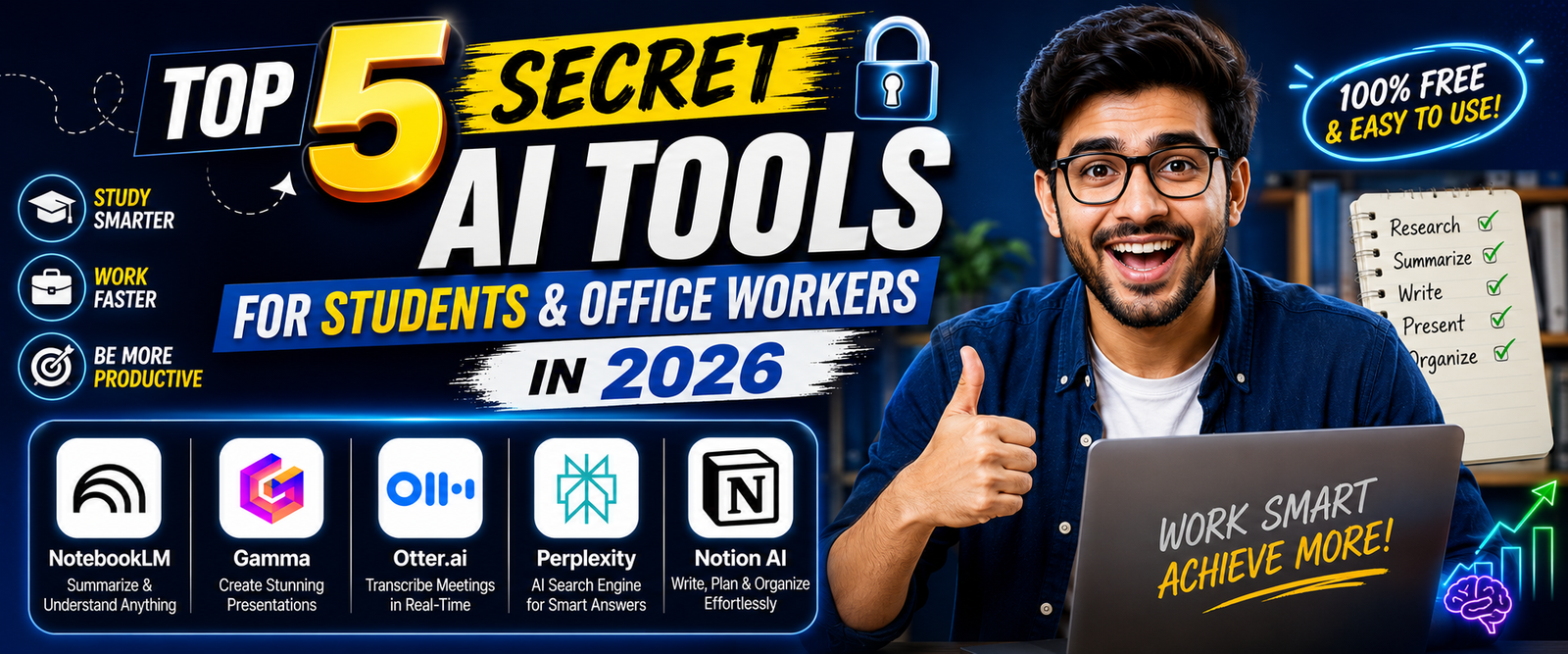
In this guide, we’ll explore 5 useful AI tools that students and office workers should know about in 2026:
- NotebookLM
- Gamma
- Otter.ai
- Perplexity
- Notion AI
We’ll compare their free plans, current pricing, key features, pros, cons, and practical use cases.
Pricing note: AI pricing and usage limits can change. Prices below are based on official information available at the time of publication. Regional pricing, taxes, promotions and account eligibility may affect the final price.
Quick Comparison
| AI Tool | Best For | Free Plan | Paid Pricing | Best Use |
|---|---|---|---|---|
| NotebookLM | Study & document research | Yes | Google AI plans | Notes, PDFs, research |
| Gamma | Presentations | Yes | Paid plans available | Slides & presentations |
| Otter.ai | Meetings & lectures | Yes | Pro from $8.33/month annually | Transcription & summaries |
| Perplexity | Research | Yes | Pro $20/month or $200/year | Web research |
| Notion AI | Notes & productivity | Yes | AI included in Business/Enterprise; limited trial on Free/Plus | Notes, projects & work |
1. NotebookLM — Your AI Study & Research Assistant
NotebookLM is Google’s AI-powered research and learning assistant. Its biggest advantage is that you can provide your own sources and then ask questions about those materials.
For students, this can be particularly useful when studying PDFs, lecture notes, research papers and other documents.
Google currently lists a free NotebookLM tier with limits such as 100 notebooks per user, 50 sources per notebook, 50 chats per day and 3 Audio Overviews per day. These limits are subject to change.
💰 NotebookLM Pricing
Free
$0
Current free limits include:
- 100 notebooks per user
- 50 sources per notebook
- 50 chats per day
- 3 Audio Overviews per day
- 3 Video Overviews per day
Google labels these as usage limits that are subject to change.
Paid
NotebookLM Plus is available through eligible Google AI plans and qualifying Google Workspace/education subscriptions. Paid tiers provide significantly higher limits.
For example, Google’s current limits show higher tiers can provide up to 500 notebooks, 300–600 sources per notebook and up to 2,500–5,000 chats per day, depending on the plan.
⭐ Key Features
- Upload and analyze sources
- Ask questions about documents
- Generate summaries
- Create study guides
- Audio Overviews
- Video Overviews
- Source-based answers
- Research assistance
- Document-based brainstorming
🎓 How Students Can Use NotebookLM
Students can use it to:
- Summarize long PDFs
- Study lecture notes
- Understand difficult topics
- Create study guides
- Review research papers
- Prepare for exams
- Ask questions about course material
- Generate audio-based study material
Example
Upload your class notes and ask:
“Explain this chapter in simple language.”
Then ask:
“Create 20 revision questions from these notes.”
This can turn static notes into an interactive study session.
💼 How Office Workers Can Use NotebookLM
Office workers can use it for:
- Company documents
- Project research
- Internal reports
- Meeting materials
- Policy documents
- Product documentation
- Research summaries
✅ Pros
- Excellent for document-based research
- Strong study use cases
- Free plan available
- Works with your own sources
- Useful audio/video study features
❌ Cons
- Usage limits apply
- Best results depend on the quality of uploaded sources
- Advanced limits require eligible paid plans
Best For
Students, researchers, teachers and knowledge workers.
2. Gamma — Create Presentations Without Starting From Scratch
Creating a professional presentation can take hours. Gamma uses AI to help turn a prompt, document or idea into a presentation.
Its free plan currently allows users to create presentations, documents, websites, social content and images. Gamma’s free plan also supports up to 10 slides per prompt, PDF/PPTX imports and exports to PDF, PPTX, PNG and Google Slides.
💰 Gamma Pricing
Free
$0
Current free-plan highlights include:
- Up to 10 slides per prompt
- AI credits for initial creations
- Presentation creation
- Document creation
- Website creation
- Social content
- Image creation
- PDF import
- PPTX import
- Export to PDF
- Export to PPTX
- Export to PNG
- Export to Google Slides
Paid
Gamma offers paid plans such as Plus and higher tiers with increased AI usage, larger presentations and additional features.
The exact price can vary according to monthly/annual billing and current offers, so check Gamma’s pricing page before subscribing.
⭐ Key Features
- AI presentation generation
- AI documents
- AI websites
- AI images
- Presentation templates
- PDF/PPTX import
- PPTX export
- Google Slides export
- AI-assisted content creation
🎓 How Students Can Use Gamma
Students can create:
- Class presentations
- Project presentations
- Seminar slides
- Research presentations
- Study summaries
- Presentation outlines
Instead of starting with a blank slide, give Gamma your topic and let it create a first draft.
💼 How Office Workers Can Use Gamma
Office professionals can create:
- Business presentations
- Sales decks
- Project reports
- Marketing presentations
- Client proposals
- Training material
✅ Pros
- Very fast presentation creation
- Beginner-friendly
- Free plan available
- Multiple export formats
- Useful for both students and businesses
❌ Cons
- Free plan has AI usage limits
- Free presentations may include Gamma branding
- Advanced features require paid plans
Best For
Students, teachers, marketers, sales teams and office professionals.
3. Otter.ai — Turn Meetings and Lectures Into Notes
Otter.ai is an AI meeting assistant designed for transcription, meeting notes and summaries.
Its free Basic plan currently includes 300 transcription minutes per month, with a 30-minute limit per conversation. It also allows users to import and transcribe up to 3 audio/video files for the lifetime of the account.
💰 Otter.ai Pricing
Basic
Free
Current limits include:
- 300 transcription minutes/month
- 30 minutes per conversation
- 3 imported audio/video files lifetime
- AI-generated meeting summaries
- Basic integrations
Pro
Otter’s current pricing information lists Pro at:
- $16.99/month when billed monthly
- $8.33/user/month when billed annually
Pro includes up to 1,200 transcription minutes/month.
Business
Business is currently listed at around:
- $30/month monthly
- $20/user/month annually
It includes up to 6,000 transcription minutes/month and longer conversations.
⭐ Key Features
- Automatic transcription
- AI meeting summaries
- Speaker identification
- Action items
- Meeting notes
- Search
- Integrations
- AI Chat
- Audio/video transcription
🎓 How Students Can Use Otter
Students can use it for:
- Lecture transcription
- Study notes
- Interview transcription
- Group projects
- Revision material
- Recorded lectures
For example, you can record a lecture and use the transcript as a starting point for your study notes.
Always make sure recording is permitted by your teacher, institution and applicable laws.
💼 How Office Workers Can Use Otter
Office workers can use it for:
- Zoom meetings
- Google Meet
- Team meetings
- Interviews
- Client calls
- Meeting summaries
- Action-item tracking
Instead of manually writing everything discussed in a meeting, Otter can create a transcript and summary.
✅ Pros
- Useful free plan
- 300 minutes/month
- Automatic transcription
- Meeting summaries
- Useful for students and professionals
❌ Cons
- 30-minute free conversation limit
- Free transcription allowance is limited
- AI transcripts can occasionally need correction
Best For
Students, remote workers, managers, journalists and meeting-heavy teams.
4. Perplexity — AI Search for Research
Perplexity is an AI-powered search and answer engine designed to help users research topics and find information from the web.
Unlike a traditional search engine, Perplexity combines search with AI-generated answers and source citations.
💰 Perplexity Pricing
Free
$0
The free version provides access to core search functionality. However, advanced searches and certain features have usage limits.
Pro
$20/month
or
$200/year
Perplexity Pro adds:
- Pro Search
- Projects
- File uploads
- Image generation
- Higher usage limits
- Additional advanced capabilities
⭐ Key Features
- AI-powered search
- Real-time web research
- Source citations
- Research summaries
- Pro Search
- File analysis
- Projects
- Image generation on eligible plans
🎓 How Students Can Use Perplexity
Students can use it for:
- Research topics
- Finding sources
- Understanding complex subjects
- Comparing information
- Preparing project research
- Brainstorming essay topics
- Finding additional reading material
However, students should verify sources and follow their school’s academic-integrity rules.
💼 How Office Workers Can Use Perplexity
Office workers can use it for:
- Market research
- Competitor research
- Industry research
- Product research
- Business reports
- Content research
- Quick fact-finding
✅ Pros
- Free core search
- Source citations
- Excellent for research
- Easy to use
- Useful for students and professionals
❌ Cons
- Advanced features require Pro
- Free usage is limited for advanced searches
- AI-generated answers should still be verified
Best For
Students, researchers, writers, marketers and office professionals.
5. Notion AI — Organize Notes, Projects & Work
Notion is a workspace for notes, documents, projects, tasks and knowledge management.
Notion AI adds AI capabilities directly inside the workspace.
One important current change is that Notion AI is included with Business and Enterprise plans, while Free and Plus users receive a limited number of complimentary AI responses to try the features.
💰 Notion Pricing
Free
$0
The Free plan includes:
- Notes and documents
- Basic project organization
- Notion Calendar
- Basic sites
- Limited trial of Notion AI
Notion’s current pricing page also states that after trial usage, some AI/agent capabilities can use paid credits.
Paid
Notion offers paid plans including Plus and Business.
Notion AI is included with Business and Enterprise, while Free and Plus users receive limited complimentary AI responses.
Because Notion pricing can vary by billing cycle, region and workspace type, check the official pricing page for the exact current price.
⭐ Key Features
Notion can help with:
- Notes
- Project management
- Task management
- Databases
- Wikis
- Documents
- AI writing
- AI summaries
- AI-powered search
- AI meeting notes
- Notion Agent on eligible plans
- Research capabilities
🎓 How Students Can Use Notion
Students can create:
- Study planners
- Class notes
- Assignment trackers
- Exam schedules
- Research databases
- Personal knowledge bases
You can organize an entire semester inside one workspace.
💼 How Office Workers Can Use Notion
Office workers can use it for:
- Project management
- Meeting notes
- Team documentation
- Task tracking
- Company knowledge bases
- Content calendars
- Project planning
✅ Pros
- Excellent organization system
- Free plan available
- AI integrated into workspace
- Useful for notes and projects
- Good for long-term organization
❌ Cons
- AI access is limited on Free/Plus
- Full AI functionality requires eligible paid plans
- Can take time to learn if you’re new to Notion
Best For
Students, freelancers, project managers, teams and productivity-focused users.
Which AI Tool Should You Choose?
Your choice depends on what you want to accomplish.
| Your Goal | Best Tool |
|---|---|
| Study PDFs and notes | NotebookLM |
| Create presentations | Gamma |
| Record and summarize lectures | Otter.ai |
| Research online | Perplexity |
| Organize projects and notes | Notion |
| Meeting transcription | Otter.ai |
| Research from your own documents | NotebookLM |
| Business presentations | Gamma |
| Personal productivity | Notion |
Best AI Tool for Students
If you’re a student, these five tools can work together:
📚 Study
NotebookLM
Upload your study materials and ask questions about them.
🔎 Research
Perplexity
Use it to discover information and sources.
🎤 Lectures
Otter.ai
Turn permitted lecture recordings into searchable transcripts and notes.
📊 Presentations
Gamma
Turn your project idea into a presentation.
📝 Organization
Notion
Keep your notes, assignments, schedules and projects organized.
Best AI Tool for Office Workers
Office workers can also combine the tools:
Perplexity → Research
Gamma → Presentation
Otter → Meeting notes
Notion → Project management
NotebookLM → Document research
This creates a simple AI-powered productivity workflow without requiring coding skills.
Frequently Asked Questions
Are these AI tools free?
Yes. All five tools offer some form of free access, although each has different limitations.
NotebookLM, Gamma, Otter and Perplexity have clearly defined free tiers, while Notion provides a Free plan with limited AI trial access.
Which is the best AI tool for students?
NotebookLM is one of the strongest choices for students who regularly work with PDFs, notes and study materials.
Which is best for office meetings?
Otter.ai is particularly useful for transcription, summaries and action items.
Which AI tool is best for presentations?
Gamma is a strong option because it can generate presentation drafts from prompts or documents.
Which tool is best for research?
Perplexity is excellent for web research, while NotebookLM is better when you want to research your own uploaded documents.
Is Notion AI completely free?
No. Notion has a Free plan, but its current documentation says Free and Plus users get only a limited number of complimentary AI responses. Full Notion AI functionality is included with Business and Enterprise plans.
How many minutes does Otter give for free?
Otter Basic currently provides 300 transcription minutes per month, with a 30-minute maximum per conversation.
How many sources can I add to NotebookLM for free?
Google currently lists 50 sources per notebook on the free tier. It also lists 100 notebooks per user and 50 chats per day, although these limits are subject to change.
Is Perplexity free?
Yes. Perplexity provides free core search. Its Pro plan costs $20/month or $200/year and provides expanded research and other features.
Can students use these AI tools for assignments?
Yes, as productivity and learning aids, but students should follow their school’s or university’s AI and academic-integrity policies. AI should not be used to misrepresent work that the institution requires you to complete yourself.
Final Verdict
AI tools are no longer limited to programmers or technology professionals.
For students, they can help with research, notes, presentations, lectures and study preparation.
For office workers, they can help with meetings, research, presentations, documentation and project organization.
If you want to start with just one tool:
- For students: Start with NotebookLM
- For presentations: Try Gamma
- For meetings: Try Otter.ai
- For research: Try Perplexity
- For organization: Try Notion
The biggest advantage isn’t simply having access to AI. It’s learning how to use the right AI tool for the right task.
Start with one tool, learn its features, and build it into your daily workflow.
For more AI tool reviews, comparisons, tutorials, features and pricing guides, keep exploring ToolMasterZone.